Troubleshoot Vahan Server Errors and Portal Glitches
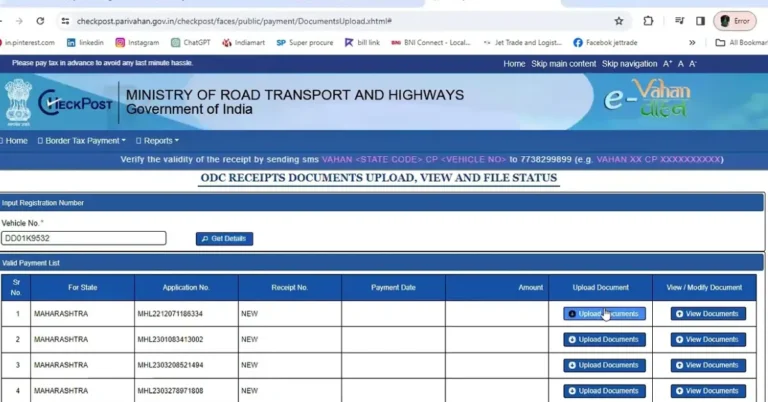
The Vahan portal is a part of the Parivahan Sewa system used for vehicle-related online services in India. It should help you check your vehicle details, RC status, pay taxes, transfer ownership, and more — all without going to the RTO. But many users face server errors, slow pages, or the portal not opening at all. These glitches can be frustrating when you just want to get things done.
Here’s a simple, friendly guide to help you fix these common Vahan portal issues and get back on track.
Why the Vahan Portal Has Errors
Before we start fixing things, let’s understand the main causes of Vahan problems:
The server is slow or overloaded with too many users at once.
Scheduled maintenance or unexpected downtime.
Browser issues, like old cache or incompatible extensions.
Poor internet connection or network restrictions.
Easy Troubleshooting Steps
1. Refresh the Page and Retry
Sometimes the portal simply fails to load that one time, but works immediately after refreshing.
Just press refresh or re‑open the portal in a new browser tab.
Tip: If you see a message like “site can’t be reached”, try again after a minute. These temporary errors often go away quickly.
Try a Different Browser
Not all web browsers handle the portal the same. If you’re using one browser and it’s not working:
This can resolve issues related to browser settings or extensions interfering with the website.
Clear Browser Cache and Cookies
Your browser stores files from websites so pages load faster. But sometimes this stored data causes problems:
This step fixes many loading problems and display errors.
Use Another Device or Internet
Sometimes the problem isn’t the portal, but your network or device:
Some users find the portal works on one network and not another.
Access During Off-Peak Hours
The portal often slows down or shows errors when lots of people use it — usually during daytime peak hours.
Try accessing early in the morning or later in the evening when fewer users are online.
Use the mParivahan App
If the website keeps glitching, the mParivahan mobile app can be a smoother alternative. Many users find the app loads faster and works better on mobile networks than the website.
Check for Downtime Before Troubleshooting
If none of the fixes above work, it might be the portal itself that’s down. There are tools that can check if a website is down globally or just for you. Trying to access Vahan at a different time often solves this.
Contact Official Support
If the portal continues to show errors and you urgently need to complete a task, reach out for help. The Vahan support team can guide you if it’s a server issue or account‑specific problem:
Support is usually available from early morning until late night.YOU CAN ALSO READ:Spot Fake Parivahan Apps and Avoid Online Scams
FAQs
Final Words
Most Vahan portal glitches are caused by server load, browser issues, or network problems. Following these simple steps — refreshing, switching browsers, clearing cache, using another device, or checking during off‑peak hours — usually solves the problem. And if nothing works, official support is there to help.
Let me know if you want a step‑by‑step visual guide next, like how to check your vehicle details on Vahan without errors.