Fix Parivahan Sarathi “No Status Found” Error (Simple Guide)
Are you trying to check your driving licence status on the Parivahan Sarathi portal but seeing “No Status Found”? Don’t worry, this happens to a lot of people. I’ll walk you through why it happens and how you can fix it step by step. Think of it like checking a parcel tracking status — sometimes the system just needs the right details or a little patience.
What This Error Means
When you see “No Status Found” on the Parivahan Sarathi status page, it generally means the system couldn’t find your application record in its database. This error is common when:
The application number was entered incorrectly
The date of birth doesn’t match what the system has
The portal hasn’t updated your application yet
There’s a delay in data syncing on the portal
This message doesn’t always mean something is wrong with your application — sometimes it just means the system isn’t showing data yet.
Step‑by‑Step Fix
Here’s how to fix it quickly:
1. Enter Correct Details
The simplest reason for “No Status Found” is typing errors.
Double‑check:
If even one of these is wrong, status won’t show.
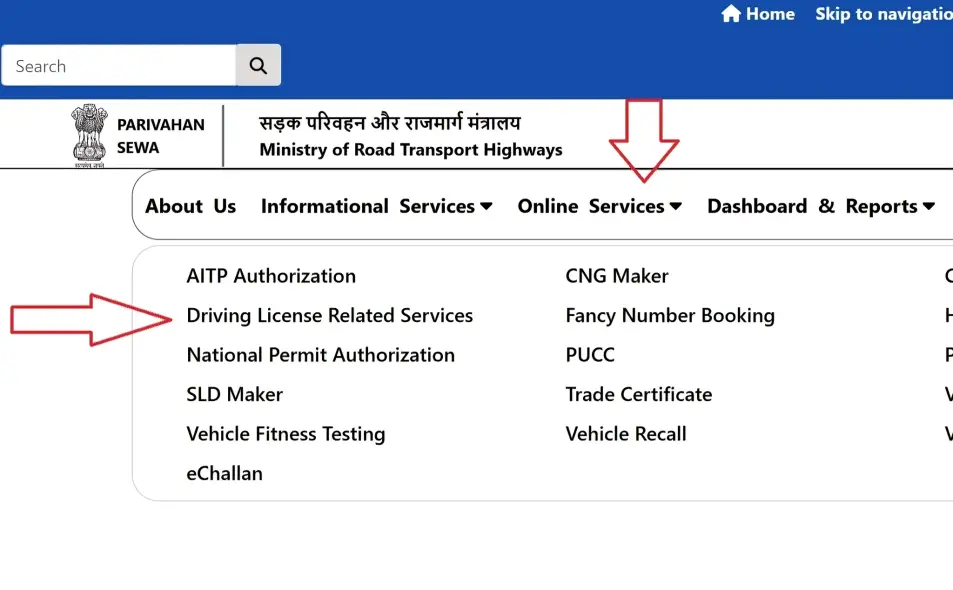
Make Sure You Are on the Right Page
To check status:
If you try from the wrong state or skip the state selection, it may not show your application.
Wait a Little and Try Again
Sometimes the system hasn’t updated yet. After you apply, it can take a few hours (or even 1‑2 days) for the status to appear. This is common during busy periods when many people apply.
Tip: Check again the next morning if it still shows nothing. YOU CAN ALSO READ: Parivahan Server Error Fix: Quick Solutions
Clear Your Browser Cache
If the portal page keeps showing errors:
Old browser data can sometimes block the latest status from showing.
Check Payment and Documents
If your application status still isn’t found:
Incomplete applications may not show up properly. You can also re‑check your payment status through the portal.
Contact Parivahan Helpdesk or RTO
If nothing works after a couple of days:
Sometimes records aren’t updated on the server, and the RTO can check things manually.
Additional Tips for Checking Parivahan Sarathi Status
Double-Check Document Accuracy
If you’re consistently getting the “No Status Found” error, ensure that your documents match exactly with what’s listed on the application. Any discrepancies, such as a misspelled name or incorrect address, could prevent the system from locating your record
Be Patient During Peak Times
Remember that the Parivahan portal can be slower during certain times, especially at the beginning or end of the month when many people are renewing their licenses or checking their status. If you experience delays, it’s best to check again after a few hours or the next day
FAQs
Final Words
Seeing “No Status Found” can be annoying, but most of the time it’s just a small data or typing issue. Take a deep breath, check the details carefully, and follow the steps above. You’ll usually see your status appear soon. And if not, the RTO support team is there to help you out.
Remember to always save screenshots of your application and check for common mistakes. Parivahan Sarathi is meant to make your life easier, and with a little patience and attention to detail, you’ll be on track in no time!