Pay Multiple E‑Challans at Once Through Parivahan
If you have received more than one e‑challan for traffic violations, paying them one by one can feel like a hassle. The good news is that you can view and pay all your pending e‑challans together through the official Parivahan portal. In this guide, I’ll explain the simple way to find and pay multiple e‑challans at once, in clear steps you can follow.
What Is an E‑Challan?
An e‑challan is a digital traffic fine issued by traffic police when you break a rule, like overspeeding, jumping a red light, or wrong parking. These challans are linked to your vehicle number or driver license. You can view and pay them online through the Parivahan website without going to the RTO.
Why You Should Pay All Challans at Once
Paying multiple challans together saves time and prevents problems like:
Missing a fine and getting a bigger penalty later
Getting more reminder notices
Potential issues during insurance or license renewal.”
Step‑by‑Step: How to Pay Multiple E‑Challans at Once
1. Visit the Parivahan E‑Challan Portal
Open your web browser and type the official Parivahan site address in the address bar.
Make sure you use the correct official website to avoid fake or scam sites.
Go to the E‑Challan Section
On the home page, choose E‑challan or Traffic Challan from the menu. This will take you to a page where you can check and pay fines.
Enter Your Vehicle Number or License Number
You will see options to enter:
Choose one and type the number correctly. Then click Submit or Check Challans.
See All Your Pending Challans
Once submitted, the portal will show all the e‑challans linked to your vehicle number or driver license. You may see a list of one or more fines with details like:
This shows all pending challans together on one screen.
Select All or Individual Challans
Before paying, you can tick the boxes next to:
This gives you control over which fines to clear.
Click on Pay Now
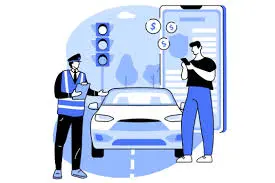
After selecting the challans, click the Pay Now button. The portal will redirect you to the payment page.
Choose Payment Method
You can usually pay using:
Choose whichever payment method you prefer. YOU CAN ALSO READ: Digital DL Validity: Is mParivahan Enough for Police?
Tips to Make It Even Easier
Complete the Payment
Follow the payment steps until you see a payment confirmation message. After payment, you should see a receipt on the screen.
Save or Download Receipt
Always save or download your payment receipt for future reference. You may need it for license renewal or proof of payment.
FAQs
Final Words
Paying multiple e‑challans at once through Parivahan is easy and safe when you follow the official process. You can clear all your fines quickly, avoid trouble later, and keep your vehicle records clean. If you want, I can walk you through using the mParivahan app to view and pay challans too.