Steps to Resolve Sarathi DL Name Mismatch Quickly
If you’ve recently applied for a driving license (DL) on the Sarathi portal, you may notice that your name appears incorrectly on the application or the issued document. This can happen due to typos, data entry errors, or discrepancies between the application form and your supporting documents. A name mismatch can cause problems when trying to verify your identity or complete the DL process. Parivahan Sewa
In this article, we’ll guide you through the steps to resolve a Sarathi DL name mismatch quickly, ensuring that your records are corrected and your application continues smoothly.
Verify the Mismatch Details
Before taking any action, first check the exact nature of the name mismatch:
Incorrect First Name: Sometimes, only the first name is incorrect.
Incorrect Last Name: The last name might be spelled wrong or missing.
Full Name: In some cases, the full name may be entered incorrectly or formatted differently.
Typographical Errors: Check for spelling errors or missing spaces.
How to Fix:
Check Your Sarathi Account Details
If the name mismatch is in the application and not on the DL itself, the issue may be with your Sarathi account details. The portal uses the personal information you enter when registering, so any discrepancy between your registration details and the official documents could cause a mismatch.
How to Fix:
Contact Sarathi Customer Support
If you cannot find the option to change your name directly in your Sarathi account, or if you’ve already applied and the name mismatch is on the issued document, you’ll need to reach out to Sarathi customer support. The support team can guide you on how to correct the mismatch.
How to Fix:
Phone Support: Call the Sarathi helpline to speak directly with a customer service representative. Be ready to provide details like your application number, Aadhaar number, and the nature of the error.
Email Support: If you prefer email, send a detailed message to Sarathi support, describing the mismatch and attaching any necessary documents (e.g., your ID proof, application receipt, etc.).
Online Chat: Some regions provide live chat support where you can resolve issues quickly by chatting with a representative.
Visit the Regional Transport Office (RTO)
If the name mismatch cannot be resolved online, or if Sarathi support asks you to do so, visit the Regional Transport Office (RTO) where you applied for your driving license.
What to Do at the RTO:
Check for Name Discrepancy on the Learner’s License (LL)
If you applied for a learner’s license (LL) first and are now applying for your permanent DL, check whether the name on the LL is the same as on your documents. A mismatch on your learner’s license may carry over to your permanent DL.
How to Fix:
Check LL Details: Verify that the name on your learner’s license is correct.
Rectify LL Mistakes: If there’s a mistake on your learner’s license, get it corrected first before applying for the permanent DL.
Submit Correction with Permanent DL Application: When applying for your permanent DL, ensure the name on the learner’s license is correct, or it may cause issues during the verification process.
Wait for the Correction to Reflect
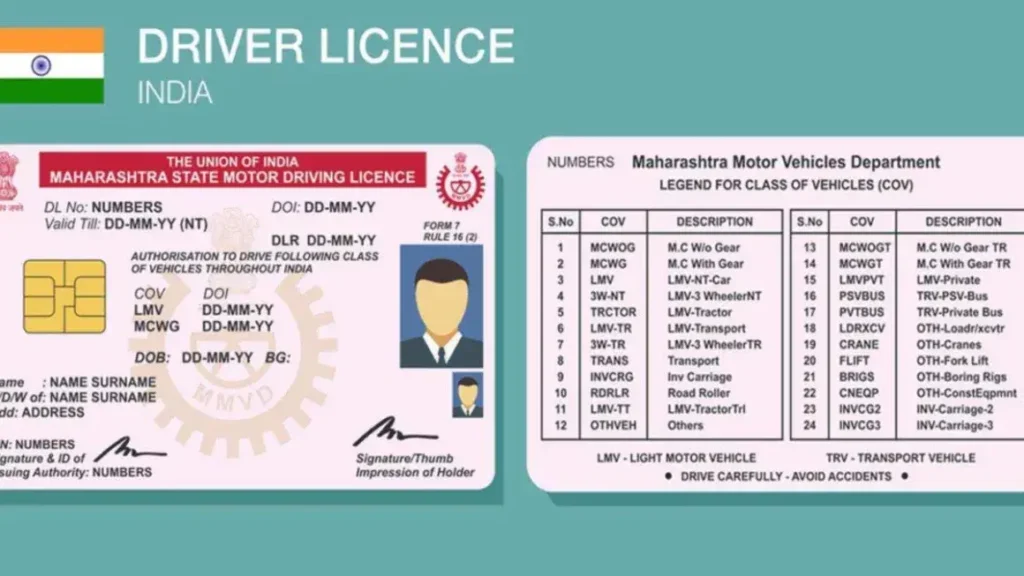
Once you’ve submitted the correction request through Sarathi support or the RTO, it may take a few days or even weeks for the correction to reflect in the system and on your driving license.
How to Fix:
Prevent Future Mismatches
To avoid future issues, make sure all the details you enter on the Sarathi portal are accurate and match your official documents. This includes your name, date of birth, address, and other personal details.
Tips:
FAQs
Final Words
A name mismatch in the Sarathi DL application can be frustrating, but it’s usually easy to fix. By verifying your details, contacting Sarathi support, or visiting the RTO, you can resolve the issue and continue with your driving license process. Make sure all your details are correct from the beginning to avoid future issues!