Tips for Getting Digital Vehicle Documents on Parivahan
Gone are the days when you had to carry physical copies of your vehicle documents. Thanks to Parivahan, the Indian government has made it easier than ever to access digital versions of important documents like your Registration Certificate (RC) and Driving License.Parivahan Portal
Here are some helpful tips to ensure you can easily get your digital vehicle documents from the Parivahan Portal and access them anytime, anywhere.
Make Sure Your Vehicle Is Registered in the System
Before you can access your digital vehicle documents through Parivahan, ensure that your vehicle is properly registered with the Regional Transport Office (RTO). If your vehicle was registered a long time ago, there may be delays in the digital record, so it’s best to verify that the RTO has updated the records in the Parivahan database.
Tip:
- Visit the RTO office if you suspect there are any issues with your vehicle’s registration or if the documents are not appearing on the Parivahan Portal.You can also read: How to Reschedule a DL Test Appointment on Sarathi
Create an Account on the Parivahan Portal
To access your digital vehicle documents, you need to have a registered account on the Parivahan Portal. Here’s how:
Visit the Parivahan Portal: Go to Parivahan.gov.in.
Register an account with your mobile number or Aadhaar number.
Once registered, you can log in and easily access your vehicle-related services.
Use the mParivahan App for Easy Access
The mParivahan app is a great way to access your digital vehicle documents directly from your smartphone. It’s available for both Android and iOS.
Tip:
- After installing the app, link your vehicle to the app by entering the vehicle registration number and other details. Once linked, you can easily download and share your RC and Driving License directly from your phone.
Link Your Aadhaar Number for Easier Access
To get digital vehicle documents easily, your Aadhaar number should be linked with your vehicle’s registration and your Parivahan account. This enables quicker access and verification.
Tip:
- Ensure that your Aadhaar number is updated in the RTO database. If it’s not linked, you may need to visit the RTO to get it connected to your vehicle records.
Download Digital Copies of Your Documents
Once your vehicle is registered and linked to your Parivahan account, follow these steps to download your digital vehicle documents:
Tip:
- These digital documents are legally valid and can be used in place of physical documents for verification purposes.
Verify Your Documents Regularly
Keep checking that the Parivahan Portal has the most up-to-date records for your vehicle. If you make any changes, such as updating your address or insurance details, ensure that the updated information reflects on the portal.
Tip:
- Regularly check if your documents are updated on the portal and the mParivahan app to ensure they remain accurate and valid.
Use DigiLocker for Extra Security
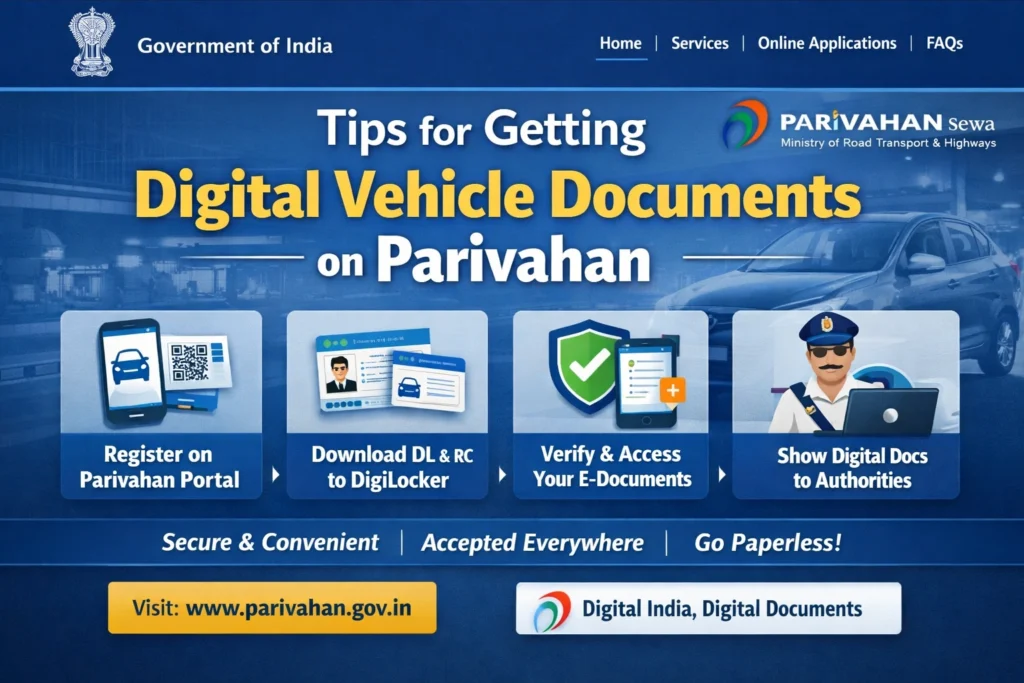
For added security and convenience, you can link your Parivahan documents to DigiLocker, a government-backed digital storage system. Once linked, your documents will be available securely in the DigiLocker app or website for easy access.
Tip:
- Link your Aadhaar number and Parivahan account to DigiLocker to access and verify your RC and Driving License anytime.
Keep Backup Copies of Your Digital Documents
While digital documents are convenient, always have a backup just in case you need them offline or face any technical issues. You can download and store copies of your RC and Driving License in a secure folder on your device.
Tip:
- Consider printing a hard copy of your RC and Driving License for emergencies, but remember that the digital version is just as valid.
FAQs
Final Words
Getting and using digital vehicle documents from Parivahan is now easier than ever. By following these simple tips, you can access your Registration Certificate (RC) and Driving License anytime, anywhere, directly from your phone or computer, without worrying about carrying physical documents.