Login Issues: Easy Ways to Solve OTP and Mobile Problems
Logging into the Parivahan Sewa portal should be easy, but sometimes the OTP doesn’t come or the login fails because of mobile number issues. Don’t worry, you’re not alone. Many people face this problem when trying to check their driving license or vehicle info online.
In this guide, I’ll walk you through simple steps to fix these common login problems.
Why You Can’t Login to Sarathi
Before we fix the problem, let’s understand the main reasons why Sarathi login can fail:
Step-by-Step Fix: Sarathi Login and OTP Problems
1. Double-Check Your Mobile Number
Your OTP is sent only to the mobile number registered with Parivahan. If the number is outdated, you need to update it first on the portal.
Tip: If you changed your SIM or number, visit the “Update Mobile Number” option under your Sarathi profile and save the new number.
Get the OTP Properly
If the OTP never arrives, try these quick fixes:
Note: Don’t request OTP many times in quick succession, as it may delay delivery.
Clear Browser Cache and Cookies
Sometimes the portal doesn’t load properly because of old cache. This can block OTP or login pages from working right.
How to fix:
This simple step fixes many login issues.
Try Another Browser or Device
Not all browsers work the same. If one browser keeps failing, try Google Chrome, Firefox, or Microsoft Edge. If possible, also try on your mobile phone browser or the mParivahan app instead of the desktop, as sometimes the app works better.
Wait for Off-Peak Hours
The Parivahan portal can get busy during the day, especially between 10 AM and 4 PM. If the server is slow or down, try logging in early in the morning or later at night when there are fewer users.
Reset Password if Needed
If OTP comes but login still fails, consider resetting your password:
This helps when login keeps rejecting your credentials.
Contact Parivahan Support
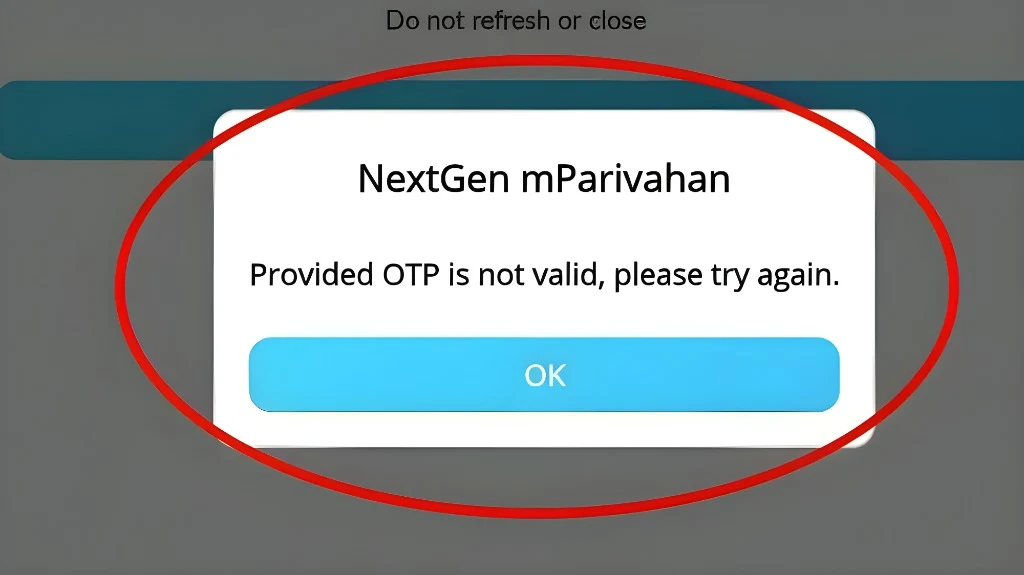
If nothing else works, you can contact the support team:
They can unlock accounts, update mobile numbers, or help with OTP errors.YOU CAN ALSO READ:Troubleshoot Vahan Server Errors and Portal Glitches
FAQs
Final Words
Most Sarathi login problems happen because of OTP delays, wrong mobile numbers, or browser glitches, and thankfully, they are usually easy to fix. Follow these steps one by one, and you’ll be able to log in and access your driving license services online without stress.
If you liked this guide, let me know which Parivahan topic you want next — like how to renew DL online or how to update your phone number!