How to Resolve OTP Issues in Parivahan Portal
If you’re trying to log into the Parivahan portal and you’re not receiving the OTP (One-Time Password), you’re not alone! It’s a common issue, but don’t worry. Here’s a quick guide to help you resolve the OTP issue so you can complete your tasks on the portal without frustration.
Common Reasons for OTP Issues
Before jumping into the solutions, let’s quickly understand why you might not be receiving the OTP:
Incorrect mobile number: The number linked to your Parivahan account may not be correct.
Network problems: A weak signal or network congestion might delay OTP delivery.
Server delays: Sometimes, the Parivahan portal itself experiences delays, especially during peak times.
Blocked or invalid number: If you’ve recently changed your number, the OTP may be sent to the old number.
SMS filtering: Some devices or apps filter OTP messages or mark them as spam.
Quick Steps to Resolve OTP Issues
Here’s what you can do if you’re not getting the OTP:
Check Your Mobile Number
Double-check the mobile number you’ve registered on the Parivahan portal. Ensure that the number is correct and hasn’t changed recently. If it’s incorrect, you won’t receive the OTP.
Wait and Try Again
Sometimes OTPs are delayed due to server issues or high traffic. If the OTP doesn’t arrive immediately, wait for a minute or two, and then click Resend OTP. This can help in case of a temporary delay.
Tip: If you’re in a rush, give it 5–10 minutes before trying again.
Check Your Network Connection
Ensure you have a strong network signal or good Wi-Fi connection. Poor network coverage or slow internet can prevent OTPs from being delivered to your phone in a timely manner.
Tip: Switch between mobile data and Wi-Fi to see if it helps.
Clear Your Browser Cache
Sometimes your browser’s cache can block the OTP request. Clear the cache and cookies from your browser, and then try requesting the OTP again. This can help reset any issues with your session.
How to clear cache:
Try a Different Browser or Device
If clearing the cache doesn’t work, try accessing the Parivahan portal using a different browser or device. Sometimes the portal works better on different browsers.
Tip: If you’re using a mobile, switch to a desktop or laptop for better compatibility.
Ensure Your SMS App is Not Blocking OTPs
Check if your phone’s SMS settings or spam filters are blocking OTP messages. Some phones have a built-in spam filter that might block OTPs. You can disable this or check the “Spam” folder.
What to Do If OTP Still Doesn’t Arrive?
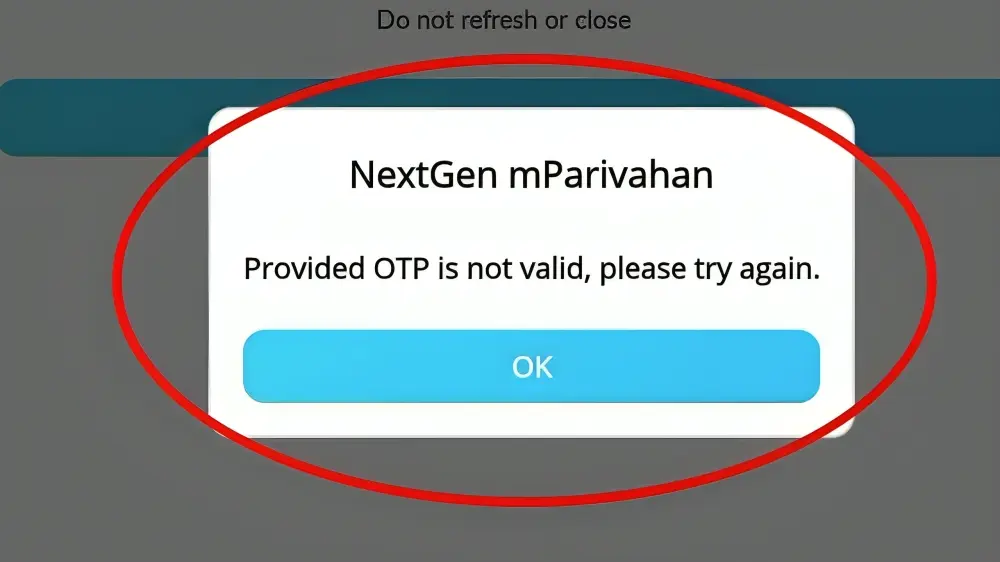
If you’ve tried all the steps above and still don’t receive the OTP, here’s what you can do next:
Contact Parivahan Helpdesk
If the problem persists, you can contact the Parivahan Helpdesk for assistance. Provide your application number, mobile number, and details about the issue, and they will help resolve it.
Update Your Mobile Number
If you’ve changed your mobile number, update it on the Parivahan portal. Sometimes, OTPs are sent to old numbers, and updating the number ensures the OTP reaches you.
Tip: If you can’t update it online, visit your nearest RTO office for assistance. YOU CAN ALSO READ: Troubleshoot Payment Failures on Parivahan 2026
Quick Tips to Avoid OTP Issues
FAQs
Final Words
OTP issues can be frustrating, but with these simple steps, you should be able to resolve them quickly. If none of these solutions work, remember the Parivahan Helpdesk is just a call away. They’ll guide you through the process and help you get back on track.
By staying patient and following these steps, you’ll be able to access your driving licence or vehicle details in no time!