Sarathi’s Driving License Renewal: What Happens to Old Data?
By
When you renew your driving licence through Sarathi (via the Sarathi / Vahan portals under Ministry of Road Transport & Highways), you might wonder: After I get the new licence, what happens to my old data—does it get deleted, archived, or updated? This is especially important because you may need proof of your past licence, or you might worry about duplicated records or incorrect details. Let’s break it down step‑by‑step so you know what to expect. Parivahan Sewa
How Licence Renewal Works and How Old Data is Treated
When you apply for renewal of your licence, several things happen in the system:
Your existing licence record is located in the database (Sarathi keeps a national/regional repository). The system verifies your licence number, your details (name, DOB, address), past driving history, pending offences or challans.
Upon successful verification, your renewed licence is generated (either a renewed smart‑card or an updated record).
Old data—such as the previous licence validity, past expiry date, classes of vehicle, historical details—typically remain in the system, but they are superseded by the new licence record. In other words: the old licence becomes inactive (or marked “replaced/renewed”), and the new licence becomes your active record.
Your driving history and any past offences remain linked to your driver‑ID/licence number in the Sarathi system, so your renewed licence does not erase your past record.
The portal may display the old licence number (if it changes) as superseded, but the system maintains continuity so you or the authorities can trace the previous licence if needed.
Why Old Data Isn’t Deleted
1
It’s important for legal and enforcement reasons that past data (previous licence validity, offences, past classes of vehicle) is preserved.
2
It allows for verification, audit trails, and transparency (for example, if you change states or apply for international recognition).
3
It helps when you need to reference your previous licence for vehicle registrations, insurance claims, or employment (like driver‑jobs) because your old licence record shows you had a valid licence earlier.
What You Should Do After Renewal
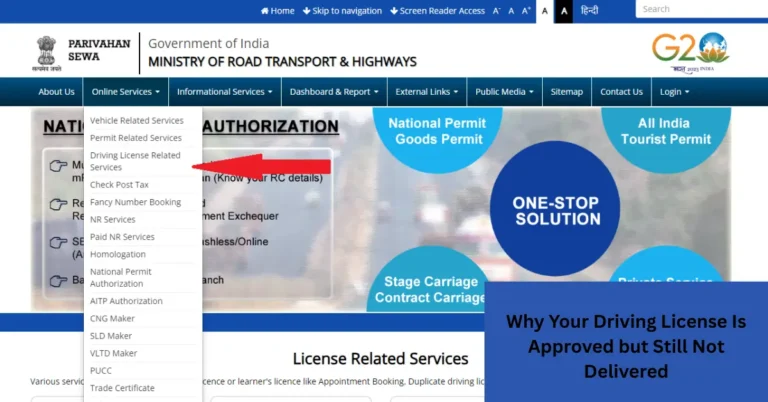
Check your renewed licence details online: After your renewal is approved, log in to Sarathi → “Driving Licence Related Services” → “Check/Verify DL” to ensure the data (name, address, classes of vehicle, etc) is correct.
Keep a copy/screenshot of your old licence and your renewed version just in case you need to show continuity.
If your licence number changed (some states issue a new number on renewal or smart‑card), note down your old number and keep proof of the change.
If there are any errors in the renewed details, correct them early — even though your past data is retained, you want your active licence to be accurate.
Things to Watch Out For
In some states the old licence may not immediately show as inactive in the system. This can cause confusion, especially if you apply for services shortly after renewal.
If your old licence number remains active accidentally, you might face identity duplication issues or mismatched records.
Some states report backlog problems where older licences (issued many years ago) were not uploaded into the central repository — this can create problems with renewal or transitions. The Times of India+1
No — it remains in the system as a historical record. It gets marked as superseded or replaced, while the new licence becomes active
It’s best to use the new licence number. The old one may not be accepted for fresh applications because it is no longer active.
Typically renewal extends your licence validity as per the Motor Vehicles Act. The exact period depends on your age, type of licence (transport/non‑transport) and state rules. ACKO Drive+1
Yes — your driving history remains linked to your driver ID/licence number in the system. Renewal does not wipe past records
Apply for correction/change in the details (name, address, class of vehicle) as soon as possible. Use the “Correction of DL” option in Sarathi for your state.
Final Words
When you renew your driving licence via Sarathi, you’re getting a fresh valid licence while the system keeps your past data intact for continuity and accountability. The old record stays, marked as replaced, and your active licence becomes the one you’ll use. You should still check that everything on your new licence is correct and keep a copy of your old licence if you might ever need it. With everything done right, renewal is smooth and your driving credentials stay solid.
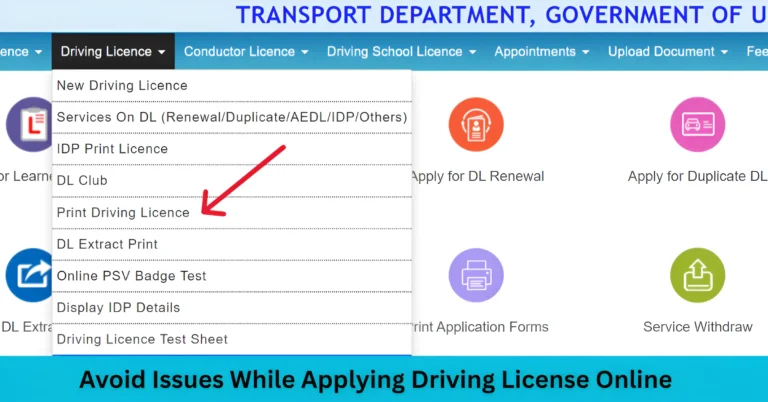
Applying for a driving license online via the Parivahan Sarathi portal is a convenient and efficient process. However, many applicants face common issues during the application. In this article, we’ll guide you through how to avoid issues while applying Driving License Online and ensure a smooth experience when applying for your driving license online. Ensure…
If you’re wondering why your driving license (DL) details aren’t updating on the Sarathi portal, you’re not alone. Many people face delays in seeing their license status reflected online. Whether you’ve applied for a renewal, address change,Parivahan Sewa or new license, delays in updates are a common problem. Let’s explore why this happens and how…
Resolve Parivahan Sewa Website Downtime and Access Issues. But why does it face downtime so often? Here are some reasons you might encounter access issues: Quick Fixes You Can Try When to Contact Support If you’re still having trouble, it’s time to contact the support team. Be sure to provide: Stay Alert Beware of Scams…
Apply for Fancy Vehicle Number Plates Online in Pakistan become an attractive way for vehicle owners to express their individuality. These plates allow you to select a combination of letters and numbers that hold personal or brand significance, making your vehicle stand out on the road. The Pakistani government, through both the Punjab and Sindh…
If you’re trying to check your driving license status or complete other tasks on the Sarathi portal, but you keep seeing a “No Record Found” message for your existing student details, don’t panic. It’s a common issue and there are several reasons why this might happen. Parivahan Sewa In this article, I’ll guide you through…
So, you’ve applied for your driving license through the Parivahan Sarathi portal, completed all the steps, and received the “Approved” status. But weeks go by, and your license hasn’t arrived. What’s going on? You’re not alone. Many users face this exact issue. Let’s break down why this happens and what you can do about it….